
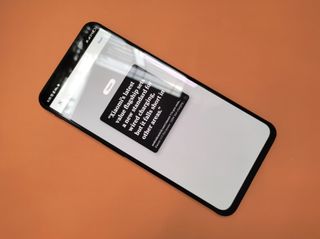

How often have you wished you could quote something cool you found on the internet to a friend? Sure you can copy and paste it, but that takes away the literary effect. There is a cool quote card feature in Chrome Beta that allows you to create and share quote cards. Here's how you can enable quote cards in Google Chrome Beta.
Once you have created a card in the theme of your liking, you can go ahead and share it through any app on your phone. Alternatively, you can also save it as an image to your phone or copy the quote card image.
Try out more features
The quote cards are customizable and can be shared directly on social media platforms. This makes it very easy to share interesting phrases or quotes on a variety of different platforms. Although the feature hasn't rolled out on Google Chrome yet, you can still access it in Chrome Beta.
Chrome Beta is Chrome with all the latest features for your phone. You can play around with upcoming features and the best part is, Beta users, get to try everything before it comes to Google Chrome. That's what makes it one of the best Android browsers.
After you're done testing the quote cards, have fun with some of the other functions and settings in Beta. If you're using a Chromebook or a PC, it's worth looking at some of the best tips and tricks for Google Chrome as well. Who knows, you may discover a life-saving feature to enhance your usability.